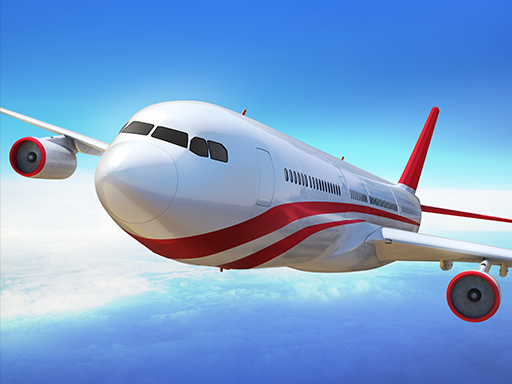
Boeing Flight Simulator 3D cover

Family game

Boeing Flight Simulator 3D

Take off, fly, and land a Boeing airliner across simple 3D missions with accessible throttle and pitch controls.

Difficulty
Moderate
Compatibility
See tested environments below

Game overview

Boeing Flight Simulator 3D lets you take off, fly, and land a passenger jet across simple 3D missions. It focuses on the basics of throttle, pitch, and lining up with the runway rather than deep avionics. The appeal is the accessible fantasy of piloting a big airliner without a steep learning curve.

This title is best suited to players who want an easy-entry airliner flight experience.

How to play Boeing Flight Simulator 3D

  1. Select an aircraft and mission from the menu.
  2. Increase throttle and pull back gently to take off.
  3. Level the plane and steer toward the objective marker.
  4. Follow the flight path or complete the assigned task.
  5. Line up with the runway and reduce throttle to descend.
  6. Touch down smoothly to complete the mission.

Controls

  • Up / down arrows: Pitch the nose down and up
  • Left / right arrows: Roll or turn the aircraft
  • Throttle keys / buttons: Increase or decrease speed

Objectives and failure conditions

Objectives

  • Take off successfully from the runway.
  • Reach the mission's flight objective.
  • Land the aircraft without crashing.

The run ends or fails when

  • Crashing into the ground or terrain.
  • Stalling from too little speed.

Gameplay mechanics

  • Throttle-driven speed control affecting lift.
  • Pitch and roll steering in 3D space.
  • Takeoff and landing sequences per mission.
  • Objective markers guiding the flight path.

Tested compatibility and loading

Desktop browser

Supported: Arrow keys map to pitch and roll comfortably.

Mobile touch

Playable: Tilt or on-screen buttons work but are less precise for landings.

Tablet

Supported: Larger view helps judge runway approaches.

Loading test: pass (2600 ms). 3D assets and first mission loaded in under three seconds on desktop broadband.

Notes: 3D content took slightly longer to load but stayed under three seconds each attempt.

Tips for Boeing Flight Simulator 3D

  • Build enough speed before pulling back or the plane stalls.
  • Make small pitch adjustments; big inputs overcorrect.
  • Start the descent early and reduce throttle gradually.
  • Keep the wings level on final approach for a clean touchdown.

What worked well and what did not

Pros

  • Approachable flight model for beginners.
  • Full takeoff-to-landing loop in the browser.
  • 3D presentation looks the part.

Cons

  • Not a realistic study-level simulator.
  • Touch controls make precise landings harder.

Player comments

No published comments yet.