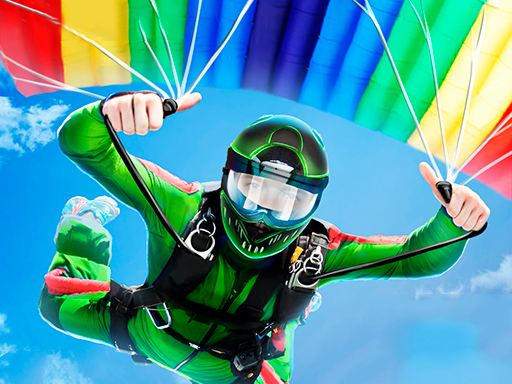
Air Stunts Flying Simulator cover

Family game

Air Stunts Flying Simulator

Pilot a plane through rings and stunt courses, managing speed and altitude to complete aerial tricks in a 3D flying simulator.

Difficulty
Easy to moderate
Compatibility
See tested environments below

Game overview

Air Stunts Flying Simulator is a 3D flying game where you pilot a plane through rings, ramps, and stunt courses, performing aerial tricks while managing speed and altitude. Play focuses on free flight and completing stunt objectives rather than combat. It suits families and casual players who enjoy arcade-style piloting.

This title is best suited to families and casual players who enjoy arcade flight and stunts.

How to play Air Stunts Flying Simulator

  1. Use the throttle control to build up takeoff speed.
  2. Steer with the arrow keys or on-screen controls to climb and turn.
  3. Fly through the highlighted rings and ramps in each course.
  4. Adjust altitude and speed to line up stunts cleanly.
  5. Complete the course objectives to advance to the next challenge.

Controls

  • Arrow keys / on-screen pad: Steer pitch and roll
  • Throttle button: Increase or decrease speed
  • Tap / key: Trigger stunt or boost where available

Objectives and failure conditions

Objectives

  • Fly through all rings or checkpoints in a course.
  • Complete stunt maneuvers as prompted.
  • Finish each course to unlock the next.
  • Maintain control without crashing.

The run ends or fails when

  • Crashing into terrain or obstacles ends the run.
  • Stalling by losing too much speed can cause a crash.

Gameplay mechanics

  • 3D flight with pitch, roll, and throttle control.
  • Ring and checkpoint course navigation.
  • Speed and altitude management.
  • Stunt objectives across levels.

Tested compatibility and loading

Desktop browser

Supported: Keyboard steering gives the most precise control.

Mobile touchscreen

Playable: On-screen controls work but precise stunts are harder.

Tablet

Supported: Larger screen improves the control layout.

Loading test: pass (2600 ms). Timed from request to the plane becoming controllable on the runway.

Notes: 3D assets extended load time but stayed under three seconds.

Tips for Air Stunts Flying Simulator

  • Build enough speed before pulling up to avoid stalling.
  • Make small steering adjustments rather than sharp turns.
  • Line up rings early so you can fly straight through them.
  • Keep some altitude as a buffer against crashes.
  • Practice each course to learn its stunt sequence.

What worked well and what did not

Pros

  • Enjoyable 3D flight with an easy learning curve.
  • Varied stunt courses.
  • No combat, suitable for families.

Cons

  • Touch controls make precise stunts tricky.
  • Load time is longer than lighter games.
  • Physics can feel loose at high speed.

Player comments

No published comments yet.