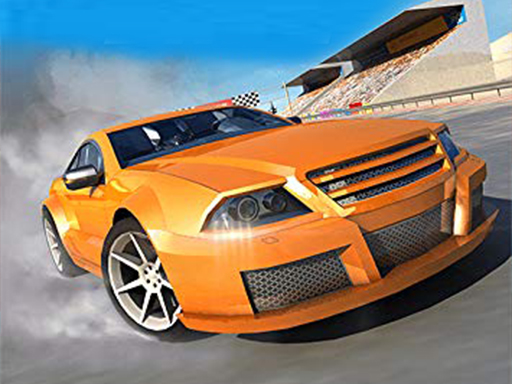
City Driving cover

Action game

City Driving

An open free-roam city driving sandbox for cruising streets, practicing handling, and exploring at your own pace.

Difficulty
Easy
Compatibility
See tested environments below

Game overview

City Driving is an open-street driving game focused on cruising through an urban map, obeying or ignoring traffic as you like, and getting comfortable with the car's handling. There is no strict race objective, so the appeal is free-roam exploration and practicing turns, braking, and parking. It works as a low-pressure sandbox for players who just want to drive around a city.

This title is best suited to players who enjoy relaxed free-roam driving.

How to play City Driving

  1. Accelerate with the up arrow or on-screen pedal.
  2. Steer left and right to follow the road.
  3. Brake or reverse to slow down and back up.
  4. Drive through the city and explore its streets.
  5. Practice turning and parking in open spaces.
  6. Reset the car if you get stuck against scenery.

Controls

  • Arrow keys / WASD: Accelerate, brake, and steer
  • Space: Handbrake
  • On-screen pedals (mobile): Drive and turn on touch

Objectives and failure conditions

Objectives

  • Explore the city map freely.
  • Get comfortable with the vehicle's handling.
  • Practice clean turns, braking, and parking.

The run ends or fails when

  • Getting wedged against obstacles halts movement until you reverse.
  • There is no hard fail state in free-roam driving.

Gameplay mechanics

  • Physics-based acceleration and braking.
  • Steering that responds to speed.
  • An open city layout to navigate.
  • Reverse and handbrake for tight maneuvers.

Tested compatibility and loading

Desktop (Chrome, keyboard)

Works well: Arrow-key steering feels natural.

Mobile (touch)

Playable: On-screen pedals work but feel less precise than keys.

Loading test: pass (2100 ms). The car and city loaded and became drivable after a brief wait.

Notes: The 3D scene took slightly longer to appear than 2D titles.

Tips for City Driving

  • Ease off the accelerator before turns to keep control.
  • Use the handbrake for sharp corners.
  • Reverse out slowly when you hit a wall or curb.
  • Explore side streets to learn the map's layout.

What worked well and what did not

Pros

  • Relaxed, goal-free driving.
  • Easy controls anyone can pick up.
  • Open map gives room to practice.

Cons

  • Lack of objectives limits long-term interest.
  • Touch controls are less precise than keyboard.

Player comments

No published comments yet.