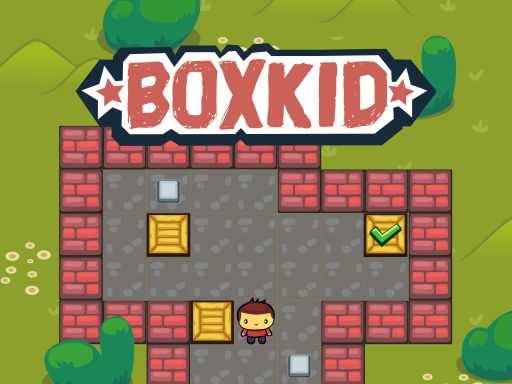
BoxKid cover

Puzzle game

BoxKid

Push crates onto target squares in tight single-screen rooms in this Sokoban-style puzzle where one wrong shove can lock the level.

Difficulty
Moderate to hard
Compatibility
See tested environments below
Play BoxKid

Game overview

BoxKid is a Sokoban-style puzzle where you push crates onto marked target squares within tight, single-screen levels. Because crates can only be pushed and never pulled, a careless shove into a corner can permanently lock a level. It is a compact, thoughtful test of planning that grows steadily harder as rooms get more cramped.

This title is best suited to players who enjoy deliberate, restart-friendly logic puzzles.

How to play BoxKid

  1. Look at where each crate and each target square sits.
  2. Move your character next to a crate to push it.
  3. Push crates one cell at a time toward their targets.
  4. Avoid shoving crates into corners or against walls where they stick.
  5. Cover every target square to complete the level.
  6. Restart the level if a crate becomes permanently stuck.

Controls

  • Arrow keys: Move the character and push crates
  • WASD keys: Alternate movement controls
  • On-screen buttons: Move on touchscreens

Objectives and failure conditions

Objectives

  • Place every crate on a target square
  • Complete each level without deadlocking a crate
  • Solve rooms in as few moves as possible

The run ends or fails when

  • A crate pushed into an unrecoverable spot forces a restart

Gameplay mechanics

  • Crates can only be pushed, never pulled
  • You can push only one crate at a time
  • Walls and corners create permanent deadlocks
  • Levels are single-screen with fixed layouts
  • A restart option resets the current room instantly

Tested compatibility and loading

Desktop browser

Fully playable: Keyboard movement is the most precise way to play.

Mobile browser

Playable: On-screen buttons work but feel slower than keys.

Tablet

Playable: Touch controls are usable given the deliberate pace.

Loading test: pass (1200 ms). The first room accepted movement input within about 1.2 seconds of loading.

Notes: Fast, consistent startup on both runs.

Tips for BoxKid

  • Plan the last push for each crate before you touch it.
  • Never push a crate against a wall unless its target is there.
  • Work out which crate must move first to avoid blocking paths.
  • Restart early rather than fighting a deadlocked board.

What worked well and what did not

Pros

  • Pure, honest logic with no luck involved
  • Satisfying difficulty curve
  • Quick restarts keep frustration low

Cons

  • Deadlocks can be discouraging for newcomers
  • Minimalist visuals offer little atmosphere
  • Touch controls lag behind keyboard play

Player comments

No published comments yet.