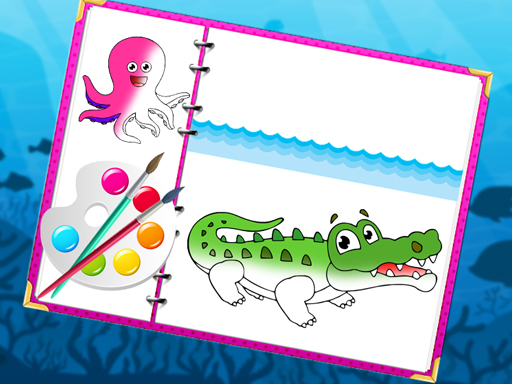
Sea Creatures Coloring Book cover

Girls game

Sea Creatures Coloring Book

Color outlined fish, whales, and other sea creatures from a tap-to-fill palette in a calm no-timer coloring book.

Difficulty
Easy
Compatibility
See tested environments below

Game overview

Sea Creatures Coloring Book is a digital coloring game featuring outlined fish, whales, octopuses, and other marine life to fill in. You pick colors from a palette and tap regions or brush across the artwork to color it. There is no scoring or time limit, so it functions as a calm creative activity.

This title is best suited to young children and anyone wanting a quiet coloring break.

How to play Sea Creatures Coloring Book

  1. Choose a sea-creature outline from the picture menu
  2. Pick a color from the palette
  3. Tap a region to fill it or brush across areas
  4. Switch colors to detail fins, eyes, and background
  5. Clear a region and recolor if you change your mind
  6. Move to the next picture when a page is finished

Controls

  • Tap / click: Fill a selected region with the chosen color
  • Color swatch tap: Change the active color

Objectives and failure conditions

Objectives

  • Complete a coloring page to your liking
  • Experiment with color combinations across creatures
  • Work through the available picture set

The run ends or fails when

  • None; coloring is open-ended with no scoring

Gameplay mechanics

  • Region-based tap-to-fill coloring
  • Selectable color palette
  • Multiple marine-themed outline pages
  • Recolor and undo of filled areas
  • No timer or progress gating

Tested compatibility and loading

Desktop browser

Playable: Clicking regions works precisely with a mouse

Mobile / tablet

Playable: Tap-to-fill is well suited to small screens

Loading test: pass (1400 ms). Picture menu appeared and the first outline was colorable within roughly a second and a half.

Notes: Lightweight vector art kept the load quick on repeat visits.

Tips for Sea Creatures Coloring Book

  • Color large background areas first, then details
  • Use contrasting shades to make fins and eyes pop
  • Tap the same region again to correct a wrong fill
  • Try realistic ocean palettes or bold fantasy colors

What worked well and what did not

Pros

  • Genuinely calming with no pressure
  • Approachable for very young players
  • Loads fast and runs smoothly

Cons

  • Limited creative depth beyond region fills
  • No freehand brush limits fine detailing

Player comments

No published comments yet.